The meeting is tomorrow, and all you have is a blank slide and a page of notes. Picking a layout, finding images and lining up every text box can eat a whole evening.
AI presentation makers do the heavy lifting. You type your topic or paste your notes, and you get a full first draft with an outline, text and design. Your job is to fix the story, not the formatting.
We compared three tools from the AI Mentor directory, Beautiful.ai, Canva Presentations and Adobe Express. You may also know Tome, but it no longer offers its presentation maker, so we left it out.
The short answer
- Pick Beautiful.ai if you present often for work and want slides that format themselves.
- Pick Canva Presentations if you want a free start, lots of templates and slides you can also turn into a video or a website.
- Pick Adobe Express if you want a free, simple deck from a prompt or need to improve a PowerPoint file you already have.
Side by side
 Beautiful.ai |
 Canva Presentations |
 Adobe Express |
|
|---|---|---|---|
| Best at | Clean, auto-formatted slides that stay tidy as you edit | A first draft from a prompt, plus millions of templates and photos | A free deck from a prompt, or a refresh of your PowerPoint file |
| Start from | A prompt, pasted text, a link or a file | A prompt typed in the Design tab | A prompt, a template or your PowerPoint file |
| Free plan | No, 14-day free trial (credit card required) | Yes, with limited AI use | Yes, with limited free use of Presentations and AI |
| Entry paid plan | Pro, $14.50/month billed yearly | Pro, priced in your local currency | Premium, $9.99/month with 250 generative credits |
| Other options | $45 billed monthly for a single presentation, Team, $40 per user/month billed yearly or $50 monthly | Business, with 20x more AI than Free | Teams, from $4.99 per license/month in the first year (2-seat minimum) |
| Export | Editable PowerPoint | PowerPoint, PDF, video slideshow or Canva website | PowerPoint, PDF or JPG |
| Watch out | No free plan | More AI on paid plans, and some templates are Pro | Free AI use is limited and runs on generative credits |
Prices and plans checked on each official pricing page on November 12, 2026. Canva showed its prices only in our local currency, so check yours on canva.com. Plans change often, so confirm before you subscribe.
Beautiful.ai
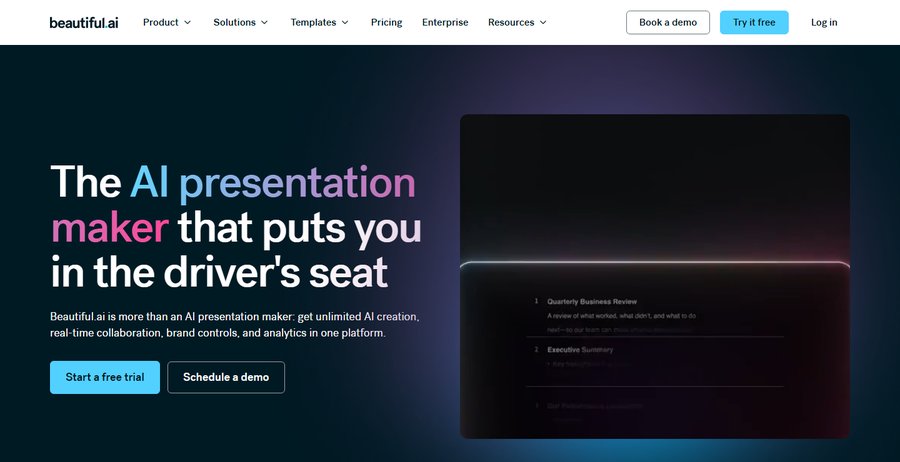
Beautiful.ai starts from a prompt, pasted text, a link or a file you upload. Before it designs anything, it shows you a slide-by-slide outline to review. Then its Smart Slides, more than 300 layouts, keep text and images aligned as you edit, so the deck stays tidy.
There is no free plan, only a 14-day trial that needs a credit card. If you need just one deck, there is a $45 option billed monthly. Every deck exports to an editable PowerPoint file.
Best for professionals and teams who present every week and want a consistent look.
Canva Presentations
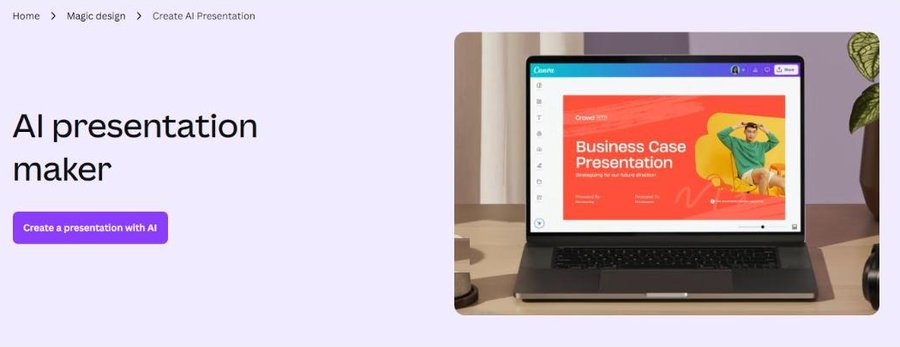
In Canva you type a prompt in the Design tab and Magic Design for Presentations creates draft slides with an outline and content. Magic Write helps you reword text and write presenter notes, and Translate puts your slides into more than 100 languages.
The free plan already lets you start, with limited AI use. Pro gives 10 times more AI than Free and up to 5 Brand Kits. When you finish, export to PowerPoint, PDF, a video slideshow or a Canva website, or present offline.
Best for students, creators and small businesses who want one tool for slides and everything else.
Adobe Express
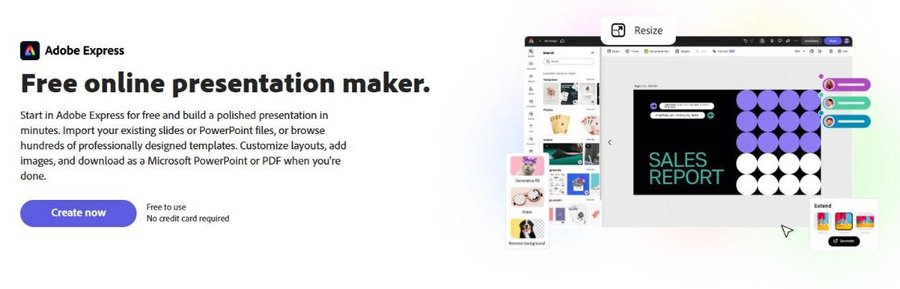
Adobe Express lets you type a prompt and generates a complete slide deck. You can also start from hundreds of templates or import your existing PowerPoint file, then add AI images and text effects. Export to PowerPoint, PDF or JPG, or present from Adobe Express.
It is free to use and needs no credit card, but free AI use is limited. Premium costs $9.99 a month and includes 250 generative credits a month.
Best for beginners who want a free deck fast, or need to refresh an old PowerPoint.
Your first deck in 15 minutes
- Minutes 1 to 3, write your message. In one sentence, what should people remember? Add three supporting points.
- Minutes 4 to 6, generate. Paste that sentence and your points into the AI maker and ask for 8 to 10 slides.
- Minutes 7 to 10, fix the story. Cut slides that repeat, move the strongest point up front and check every number.
- Minutes 11 to 13, make it yours. Apply your colors and logo and swap generic images for real ones.
- Minutes 14 to 15, rehearse. Add presenter notes and click through the deck once out loud.
AI writes fast, but it can get facts wrong. Read every slide before you present.
Which one should you pick
Start free with Canva or Adobe Express and build the same deck in both. If you present for work every week and want polished slides with less effort, try the Beautiful.ai trial. New to AI? Start with our guide How to Learn AI in 2026.
FAQ
Can I make a presentation with AI for free?
Yes. Canva and Adobe Express both have free plans with limited AI use. Beautiful.ai has no free plan, only a 14-day trial that asks for a credit card.
Can I open my AI presentation in PowerPoint?
Yes. Beautiful.ai, Canva and Adobe Express all export to PowerPoint, so you can keep editing in Microsoft PowerPoint.
What happened to Tome?
Tome no longer offers its presentation maker, and its site did not load when we checked on November 12, 2026. If you used it, Beautiful.ai, Canva and Adobe Express are good places to start again.
Keep reading: How to make a video without filming yourself · How to turn a script into a natural voiceover · All presentation tools.