Copying data from emails into a spreadsheet, posting the same update on three channels, saving every new lead to your CRM. Small repetitive tasks eat hours every week, and most of them follow the same rule every time: when this happens, do that.
No-code automation tools let you write that rule once and let it run on its own, without a developer. The question is how much power you need, because the tools range from simple one-step recipes to multi-step workflows with AI.
We compared three tools from the AI Mentor directory, Make, IFTTT and Bardeen.
The short answer
- Pick IFTTT for simple automations between everyday apps and smart home devices, at the lowest price.
- Pick Make for multi-step business workflows with branches, filters and AI.
- Pick Bardeen if your repetitive work is collecting data from websites, such as lead lists, into a spreadsheet.
Side by side
 Make |
 IFTTT |
 Bardeen |
|
|---|---|---|---|
| Best at | Multi-step workflows and AI agents | Simple if-this-then-that Applets | Web scraping, enrichment and lead lists |
| Free plan | 1,000 credits a month, no time limit | 1,000 credits a month, unlimited Applets | 100 credits a month |
| Paid entry | Core, $9 a month billed yearly | Starter, $2.99 a month | Basic, $10 a month |
| Integrations | 3,500+ apps | 1,000+ services and apps | Google Sheets and CRM exports, scrapers and enrichment |
| How you build | Visual drag-and-drop scenarios, or by prompt | Applet composer, or describe it to IFTTT.ai | Ready-made scrapers and AI actions in a table |
| How credits work | Most actions use 1 credit | Credits per Applet run | 1 credit per row, 3 for enrichment |
Plans checked on each official pricing page on October 28, 2026. Prices and credit rules change, so confirm before you subscribe.
Make
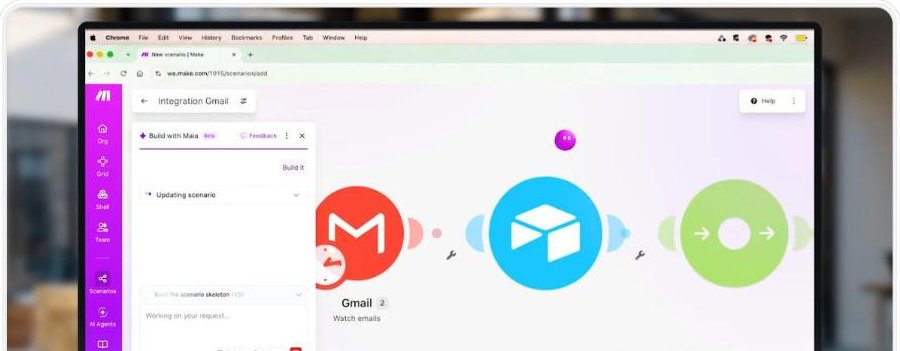
Make is the most powerful of the three. You build scenarios on a visual canvas by dragging apps together, adding filters, routes and data transformations, or you can describe the workflow and let its AI draft it. It connects to more than 3,500 apps and now also lets you build AI agents in the same place.
The free plan includes 1,000 credits a month with no time limit, enough to automate a few small tasks. Most actions use 1 credit. Core, at $9 a month billed yearly, adds unlimited active scenarios and scheduling down to the minute.
Best for small businesses and operations teams that want real workflows, not just single triggers.
IFTTT
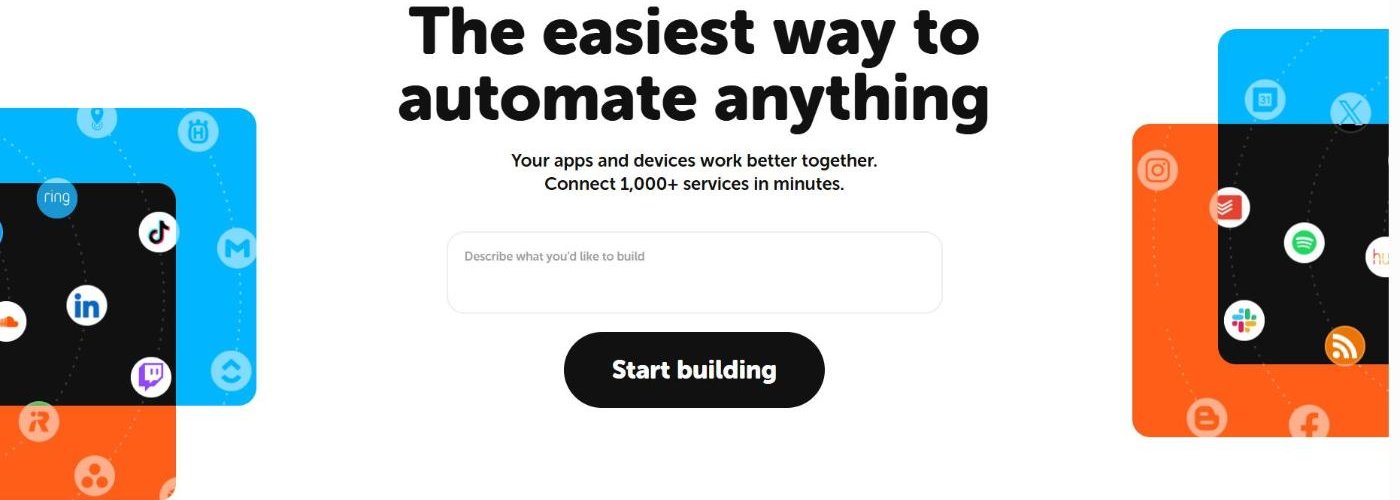
IFTTT, short for If This Then That, is the simplest way to start. Each automation is an Applet with a trigger and one or more actions, such as saving Instagram photos to Dropbox or switching on smart lights at sunset. You can also describe what you want and let IFTTT.ai build it.
Every plan includes all features and services. What changes is the number of credits and the speed. On the free plan, polling Applets run every hour, while Starter checks every 15 minutes for $2.99 a month and Pro every 5 minutes.
Best for personal productivity, social media cross-posting and smart home routines.
Bardeen
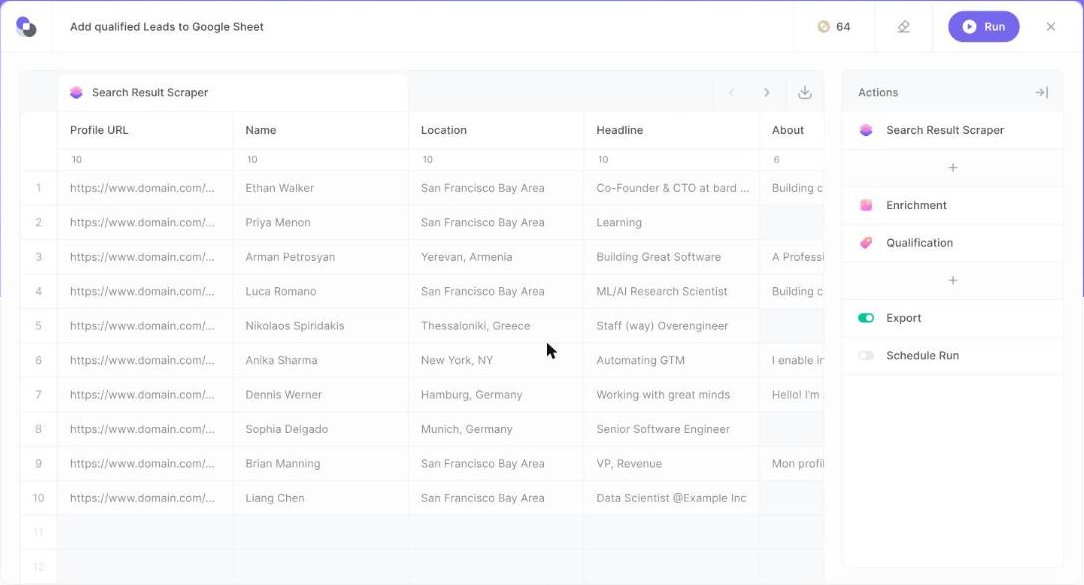
Bardeen focuses on one kind of repetitive work, collecting and cleaning data from the web. You pick a scraper, add enrichment and AI qualification and export the result to Google Sheets or your CRM, all in a table you can review before it runs.
It works with credits. Each row an action creates costs 1 credit and enrichment costs 3, while imports, exports and utilities are free. Everyone gets 100 credits a month for free, and the Basic plan starts at $10 a month.
Best for sales, recruiting and research teams that build lists from websites.
Five automations you can set up this week
If you are not sure where to start, these are common first automations. Each one replaces a task most people still do by hand.
1. Save every new lead from a form to a spreadsheet
When someone fills in your website form, add a row to Google Sheets and send you a notification. In Make this is a two-step scenario, and IFTTT can handle simple versions with an Applet. It ends copy and paste from your inbox and keeps every lead in one place.
2. Turn important emails into tasks
When an email arrives from a client or with a certain word in the subject, create a task in your to-do app with the email linked. Make can add a filter so only the right emails become tasks, which keeps your list clean.
3. Cross-post to your social channels
When you publish a new post on one channel, share it automatically on another. This is the classic IFTTT use case, and it takes a few minutes to set up with an existing Applet from the community.
4. Build a prospect list from a website
Instead of copying names and links one by one, let Bardeen scrape a search results page, enrich each profile with contact details, qualify it with AI and send the qualified rows to a spreadsheet. You review the table before anything is exported.
5. Get a weekly summary without opening five apps
Schedule a scenario in Make that collects new rows from your spreadsheet, new deals from your CRM and new orders from your store every Monday, and sends you a single email with the numbers. Core plans let you schedule scenarios down to the minute.
Start with one automation, run it for a week and check the results before adding the next. Small automations that work every day save more time than one complex workflow that breaks.
How to pick your first automation
- List what you repeat. Write down tasks you do more than twice a week.
- Start with the boring one. Pick a task with a clear trigger and a clear result.
- Test with real data. Run it on a few examples and check every output.
- Add alerts. Send yourself a message when an automation fails.
- Watch your credits. Check usage after the first week before upgrading.
Which one should you pick
If you only need simple connections between apps, start with IFTTT. If your process has several steps, conditions or AI in the middle, Make is worth the learning curve. And if your repetitive work is copying information from websites into a spreadsheet, Bardeen does that job better than general automation tools.
Want to automate content too? See how to turn one long video into Shorts and Reels automatically.
FAQ
Do I need to know how to code?
No. All three tools are built for non-developers. Make and IFTTT can even draft the automation from a plain-language description.
Is there a free plan?
Yes. Make and IFTTT include 1,000 credits a month for free, and Bardeen includes 100 credits a month.
What is a credit?
It is the unit each tool uses to measure usage. In Make most actions use 1 credit, and in Bardeen each row an action creates costs 1 credit.
Keep reading: How to learn AI: the step-by-step roadmap · How to turn a script into a natural voiceover · How to make a video without filming yourself · All automation and integration tools.